- Concept of Streams,
- cin and cout Objects,
- C++ Stream Classes,
- Unformatted and Formatted I/O,
- Manipulators,
- File Stream,
- C++ File Stream Classes,
- File Management Functions,
- File Modes,
- Binary and Random Files.
C++ comes with libraries, which provide us with many ways for performing input and output.
In C++ input and output is performed in the form of a sequence of bytes or more commonly known as streams.
Input Stream: If the direction of flow of bytes is from the device (for example, Keyboard) to the main memory then this process is called input.
Output Stream: If the direction of flow of bytes is opposite, i.e. from main memory to device ( display screen ) then this process is called output.
- iostream: iostream stands for standard input-output stream. This header file contains definitions to objects like cin, cout, cerr etc.
- iomanip: iomanip stands for input output manipulators. The methods declared in this files are used for manipulating streams. This file contains definitions of setw, setprecision etc.
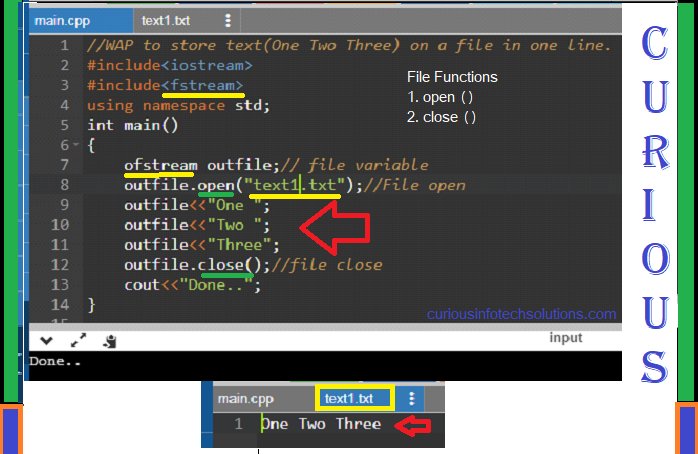
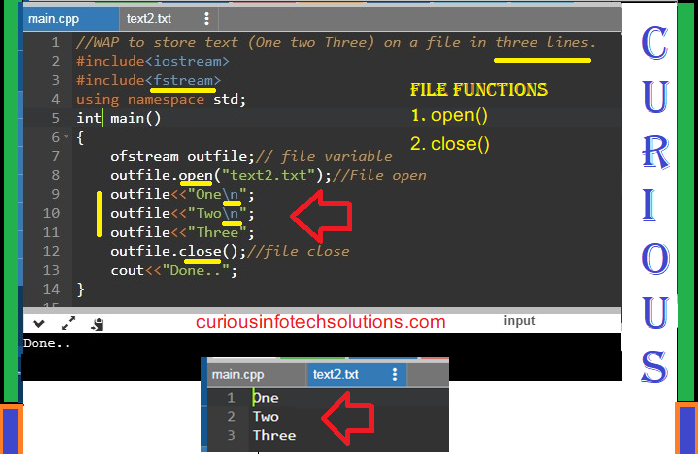
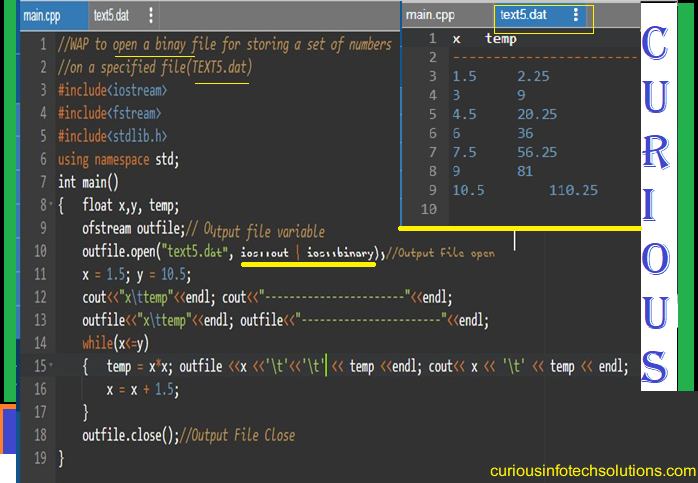
- fstream: This header file mainly describes the file stream. This header file is used to handle the data being read from a file as input or data being written into the file as output.

- Generally in C programming language, printf and scanf are considered to be functions.
- When it comes to cout and cin, in C++ what are they?
- It mean they can’t be functions as they are not followed by parenthesis, so they are not functions.
- So what are cout and cin? Are they standard input and output functions? OR something else?
- std::cout and std::cin are global objects of classes std::ostream and std::istream respectively, which they've overloaded operator << and >>.
- The predefined object cout is an instance of ostream class.
- The cout object is said to be "connected to" the standard output device, which usually is the display screen. The cout is used in conjunction with the stream insertion operator, which is written as << which are two less than signs as shown in the following
- #include<iostream.h>
void main()
{
int A=10,b=20;
cout<<"A="<<Aendl<<"B="<<B;
}
- The insertion operator << may be used more than once in a single statement as shown above and endl is used to add a new-line at the end of the line.
- The predefined object cin is an instance of istream class.
- The cin object is said to be attached to the standard input device, which usually is the keyboard.
- The cin is used in conjunction with the stream extraction operator, which is written as >> which are two greater than signs as shown in the following example.
- #include <iostream.h>
void main()
{
char name[50];
cout << "Please enter your name: ";
cin >> name;
cout << "Your name is: " << name << endl;
}
void main()
{
int A=10,b=20;
cout<<"A="<<Aendl<<"B="<<B;
}
void main()
{
char name[50];
cout << "Please enter your name: ";
cin >> name;
cout << "Your name is: " << name << endl;
}
C++ provides standard iostream library to operate with streams.
The iostream is an object-oriented library which provides Input/Output functionality using streams.
 In the above figure, ios is the base class.
The iostream class is derived from istream and ostream classes.
The ifstream and ofstream are derived from istream and ostream, respectively. These classes handles input and output with the disk files.
The fstream.h header file contains a declaration of ifstream, ofstream and fstream classes.
The iostream.h file contains istream, ostream and iostream classes and included in the program while doing disk I/O operations.
Stream classes have good error handling capabilities.
These classes work as an abstraction for the user that means the internal operation is encapsulated from the user.
These classes are buffered and do not uses the memory disk space.
These classes have various functions that make reading or writing a sequence of bytes easy for the programmer.
The printed data with default setting by the I/O function of the language is known as unformatted data.
It is the basic form of input/output and transfers the internal binary representation of the data directly between memory and the file.
For example, in cin statement it asks for a number while executing. If the user enters a decimal number, the entered number is displayed using cout statement. There is no need to apply any external setting, by default the I/O function represents the number in decimal format.
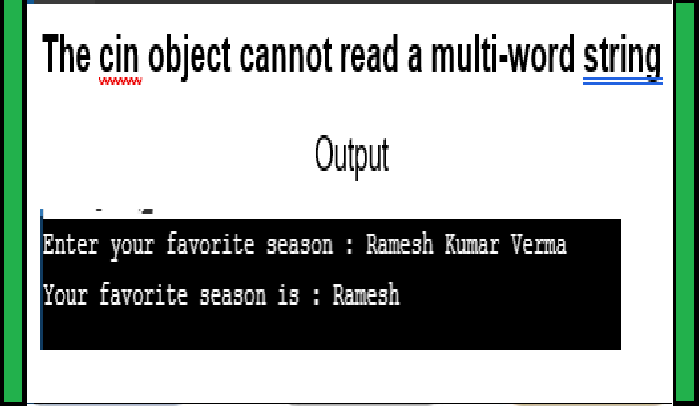
In C++, we can read the input entered by a user at console using an object cin of istream class and through this object we can access the functions of istream class, such as - get(char *), get(void) and getline().
In C++, we can write the output at console using an object cout of ostream class and through this object we can access the functions of ostream class, such as - put(), write().

Using getline(istream& is, string& str) function

1.png)
1.png)
1.png)
1.png)


 Why use File Handling in C++
• For permanent storage.
• The transfer of input - data or output - data from one computer to another can be easily done by using files.
Why use File Handling in C++
• For permanent storage.
• The transfer of input - data or output - data from one computer to another can be easily done by using files.


 For Example: